Docker搭建XRay用户管理以及流量伪装教程

前言

XRay是近几年兴起的科学上网技术,采用新的协议,因功能强大、能有效抵抗墙的干扰而广受好评。

一、ACME配置SSL证书

  • 安装socat和acme服务
1
2
3
4
5
# 安装socat
apt install socat

#安装acme
curl https://get.acme.sh | sh
  • acme 绑定域名邮箱
1
~/.acme.sh/acme.sh --register-account -m my@example.com(随便啥邮箱)
  • 阿里云创建AccessKey ID及AccessKey Secret,并配置环境变量
1
2
export Ali_Key="Key_XXX"
export Ali_Secret="Secret_XXX"
  • 申请证书
1
2
3
4
acme.sh --issue --dns dns_ali -d *.abc.com \
--cert-file /root/ssl/xxxxx.crt \
--key-file  /root/ssl/xxxxx.key \
--fullchain-file /root/ssl/fullchain.crt
  • CloudFlare创建AccessKey ID及AccessKey Secret,并配置环境变量
1
2
export CF_Key="Key_XXX"
export CF_Email="Secret_XXX"
  • 申请证书
1
2
3
4
acme.sh --issue --dns dns_cf -d *.abc.com \
--cert-file /root/ssl/xxxxx.crt \
--key-file  /root/ssl/xxxxx.key \
--fullchain-file /root/ssl/fullchain.crt
  • 定时任务保证了证书在到期前能自动续期,由于ACME协议和Let’s Encrypt CA都在频繁的更新,因此建议开启acme.sh的自动升级:
1
2
# 查看定时任务
crontab -l
1
~/.acme.sh/acme.sh  --upgrade  --auto-upgrade
  • 移动SSL到指定目录,例如我这里移动到 /root/ssl文件夹下,没有就去创建一个,后面面板会用到
1
2
3
4
~/.acme.sh/acme.sh --install-cert -d 域名 \
--cert-file /root/ssl/xxxxx.crt \
--key-file  /root/ssl/xxxxx.key \
--fullchain-file /root/ssl/fullchain.crt

二、X-UI的Docker安装以及用户管理

安装XRay

1
docker run --restart=always --name x-ui -d -v /root/x-ui/db:/etc/x-ui -v /root/ssl:/root/cert  --network host enwaiax/x-ui:alpha-zh

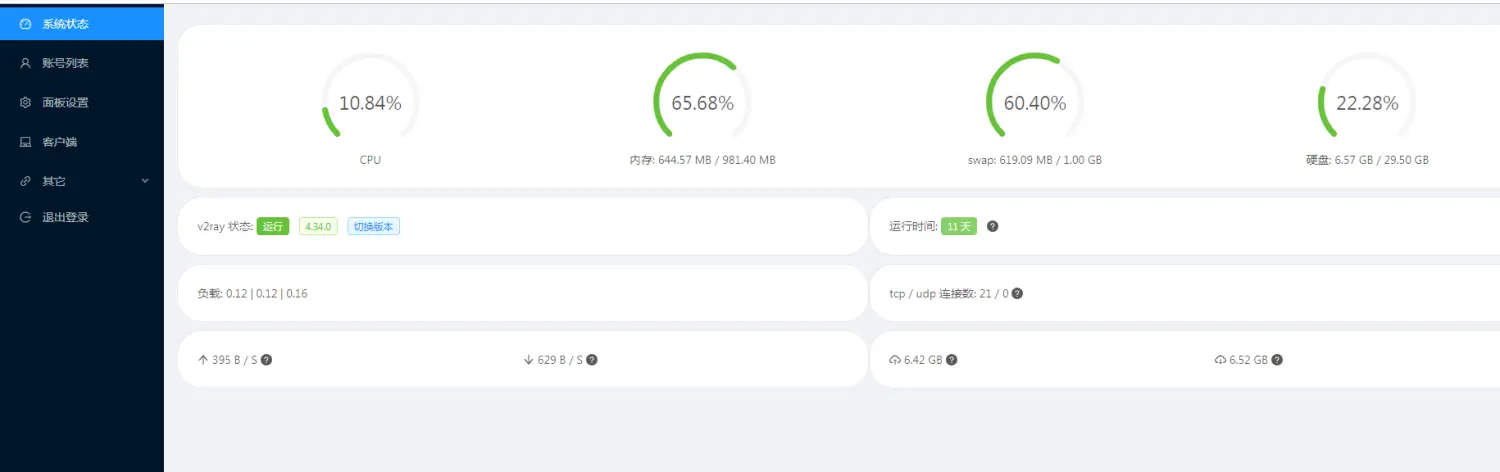
54321端口是X-UI的管理端口安装完之后,通过你的服务器ip http://ip:54321 端口访问X-UI管理后台。

三、X-UI域名访问

搭建nginx

1
docker pull nginx && docker run -d -p 80:80 --network host --name nginx --restart=always nginx

进入nginx容器

1
2
3
4
5
#查看当前nginx的容器id
docker ps -a

#进入nginx容器
docker exec -it xxxx bash

更改nginx配置文件

1
2
3
4
5
6
7
8
#首先更新 apt-get
apt-get update

#安装vim
apt-get install vim

#编辑nginx配置文件
vim /etc/nginx/nginx.conf

nginx 通用配置模板

 1
 2
 3
 4
 5
 6
 7
 8
 9
10
11
12
13
14
15
16
17
18
19
20
21
22
23
24
25
26
27
28
29
30
31
32
33
34
35
36
37
38
39
40
41
42
43
44
45
46
47
48
49
50
51
52
53
user  nginx;
worker_processes  1;

error_log  /var/log/nginx/error.log warn;
pid        /var/run/nginx.pid;


events {
    worker_connections  1024;
}


http {
    include       /etc/nginx/mime.types;
    default_type  application/octet-stream;

    log_format  main  '$remote_addr - $remote_user [$time_local] "$request" '
                      '$status $body_bytes_sent "$http_referer" '
                      '"$http_user_agent" "$http_x_forwarded_for"';

    access_log  /var/log/nginx/access.log  main;

    sendfile        on;
    #tcp_nopush     on;

    keepalive_timeout  65;

    #gzip  on;

    server{
        listen 443 ssl;
        server_name  abc.com;
        ssl_certificate /root/ssl/fullchain.crt;
        ssl_certificate_key /root/ssl/xxxxx.key;
        ssl_trusted_certificate /root/ssl/fullchain.crt;
        ssl_protocols TLSv1 TLSv1.1 TLSv1.2;
        ssl_ciphers ECDHE-RSA-AES128-GCM-SHA256:HIGH:!aNULL:!MD5:!RC4:!DHE;
        ssl_prefer_server_ciphers on;
        ssl_session_cache shared:SSL:10m;
        ssl_session_timeout 10m;
        
        location / {
            proxy_pass https://abc.com:54321;
        }
    }
    
    server {
        listen	80;
        server_name  abc.com;
        # 核心代码
        rewrite ^(.*)$ https://${server_name}$1 permanent;
    }
}

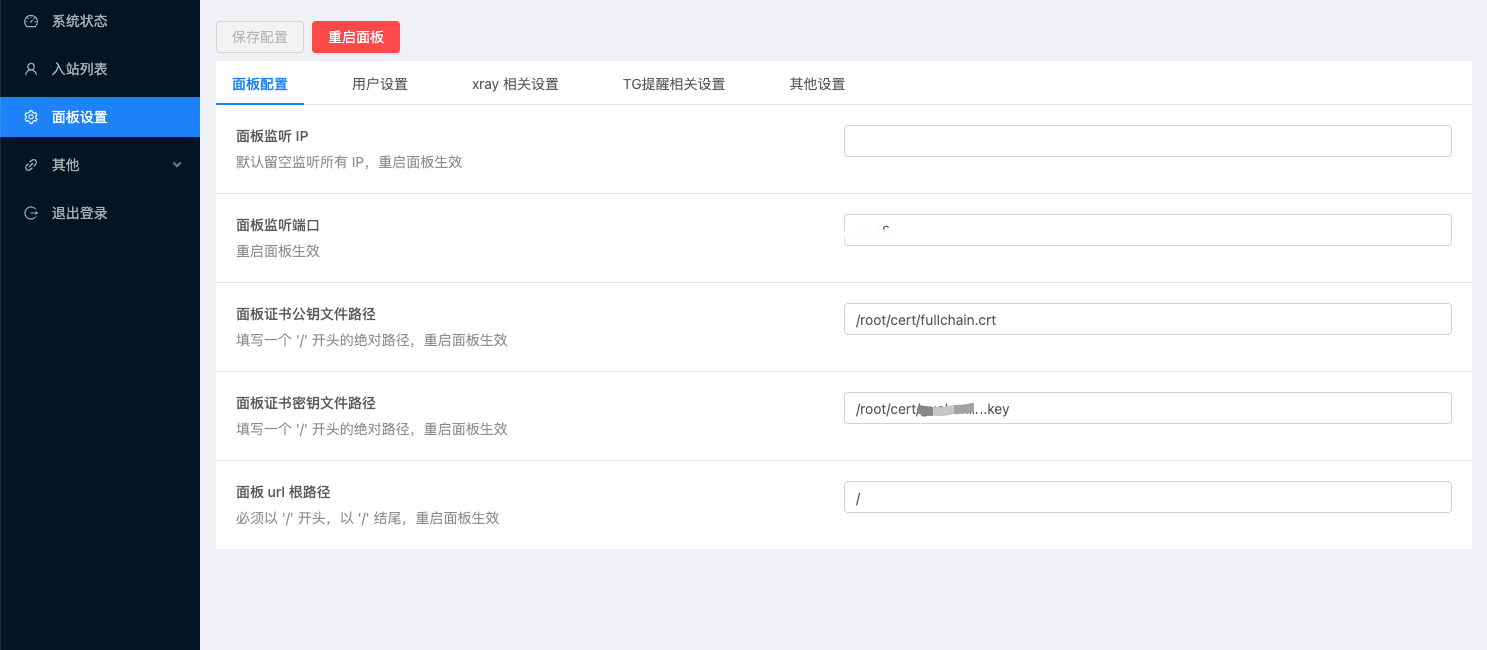
配置完成之后,进入X-UI面板配置证书和端口,重启面板即可

四、自建协议转换Clash链接服务

  • 安装subconverter转换服务
1
2
3
4
5
6
7
#订阅转换后端
docker run  -d --name=subconverter --restart=always -p 9003:25500 guohanlin/subconverter
#订阅转换前端
docker run -d --name subweb --restart always \
  -p 9005:80 \
  -e API_URL='https://config.xxxx.xxxxx' \  #首先要把订阅转换后端使用nginx反代
  stilleshan/subweb
  • 配置nginx反向代理
 1
 2
 3
 4
 5
 6
 7
 8
 9
10
11
12
13
14
15
server {
    listen 80;
    server_name config.xxxxx.xxxxx;
    location / {
        proxy_pass http://localhost:9003;
    }
}

server {
    listen 80;
    server_name subweb.xxxxx.xxxxx;
    location / {
        proxy_pass http://localhost:9005;
    }
}
  • 直接通过浏览器访问subweb.xxxxx.xxxxx,点击转换即可获得以下格式生成Clash订阅链接
1
http://config.xxxxx.xxxxx/sub?target=clash&url=%URL%

配置参考:https://github.com/tindy2013/subconverter/blob/master/README-cn.md

五、解锁 Gemini、奈飞、ChatGPT

  • 下载奈飞检测工具
1
2
#下载检测解锁程序
wget -O nf https://github.com/sjlleo/netflix-verify/releases/download/v3.1.0/nf_linux_amd64 && chmod +x nf
  • 安装WARP仓库GPG 密钥:
1
curl https://pkg.cloudflareclient.com/pubkey.gpg | sudo gpg --yes --dearmor --output /usr/share/keyrings/cloudflare-warp-archive-keyring.gpg
  • 添加WARP源:
1
echo "deb [arch=amd64 signed-by=/usr/share/keyrings/cloudflare-warp-archive-keyring.gpg] https://pkg.cloudflareclient.com/ $(lsb_release -cs) main" | sudo tee /etc/apt/sources.list.d/cloudflare-client.list
  • 安装 CF WARP 程序
1
2
3
4
5
#更新APT缓存:
apt update

#安装WARP:
apt install cloudflare-warp
  • 如果 APT更新失败,尝试修改 APT源
1
2
3
4
5
6
vi /etc/apt/sources.list

#把下面的内容进行替换
deb http://archive.debian.org/debian/ buster main contrib non-free
deb http://archive.debian.org/debian/ buster-updates main contrib non-free
deb http://archive.debian.org/debian-security buster/updates main contrib non-free
  • WARP的注册和连接
 1
 2
 3
 4
 5
 6
 7
 8
 9
10
11
12
13
14
15
16
17
#注册
warp-cli registration new

#设置为代理模式(!!!!一定要设置要不然 SSH直接断连,机器无法找回)
warp-cli mode proxy

#开始连接
warp-cli connect

#查看状态
warp-cli status

#查询代理后的IP地址:
curl ifconfig.me --proxy socks5://127.0.0.1:40000

#检查奈飞是否解锁
./nf
  • 修改XUI 面板设置 配置模板

主要就在出口设置里设置 WARP代理

 1
 2
 3
 4
 5
 6
 7
 8
 9
10
11
12
    {
      "tag": "netflix_proxy",
      "protocol": "socks",
      "settings": {
        "servers": [
          {
            "address": "127.0.0.1",
            "port": 40000
          }
        ]
      }
    },

完整配置

 1
 2
 3
 4
 5
 6
 7
 8
 9
10
11
12
13
14
15
16
17
18
19
20
21
22
23
24
25
26
27
28
29
30
31
32
33
34
35
36
37
38
39
40
41
42
43
44
45
46
47
48
49
50
51
52
53
54
55
56
57
58
59
60
61
62
63
64
65
66
67
68
69
70
71
72
73
74
75
76
77
78
79
80
81
82
83
84
85
86
87
{
  "api": {
    "services": [
      "HandlerService",
      "LoggerService",
      "StatsService"
    ],
    "tag": "api"
  },
  "inbounds": [
    {
      "listen": "127.0.0.1",
      "port": 62789,
      "protocol": "dokodemo-door",
      "settings": {
        "address": "127.0.0.1"
      },
      "tag": "api"
    }
  ],
  "outbounds": [
    {
      "tag": "netflix_proxy",
      "protocol": "socks",
      "settings": {
        "servers": [
          {
            "address": "127.0.0.1",
            "port": 40000
          }
        ]
      }
    },
    {
      "protocol": "freedom",
      "settings": {}
    },
    {
      "protocol": "blackhole",
      "settings": {},
      "tag": "blocked"
    }
  ],
  "policy": {
    "levels": {
      "0": {
        "handshake": 10,
        "connIdle": 100,
        "uplinkOnly": 2,
        "downlinkOnly": 3,
        "statsUserUplink": true,
        "statsUserDownlink": true,
        "bufferSize": 10240
      }
    },
    "system": {
      "statsInboundDownlink": true,
      "statsInboundUplink": true
    }
  },
  "routing": {
    "rules": [
      {
        "inboundTag": [
          "api"
        ],
        "outboundTag": "api",
        "type": "field"
      },
      {
        "ip": [
          "geoip:private"
        ],
        "outboundTag": "blocked",
        "type": "field"
      },
      {
        "outboundTag": "blocked",
        "protocol": [
          "bittorrent"
        ],
        "type": "field"
      }
    ]
  },
  "stats": {}
}

六、常用测试脚本

  • 1、回程测试
1
curl https://raw.githubusercontent.com/ludashi2020/backtrace/main/install.sh -sSf | sh
  • 2、速度测试
1
bash <(curl -sL https://raw.githubusercontent.com/i-abc/Speedtest/main/speedtest.sh)
  • 3、流媒体检测
1
bash <(curl -L -s https://github.com/1-stream/RegionRestrictionCheck/raw/main/check.sh)
Licensed under CC BY-NC-SA 4.0
Built with Hugo
主题 StackJimmy 设计